How to use the website
Receiving SMS on virtual numbers online
The website is necessary for anonymous registrations on social networks, instant messengers, message boards, etc. It is for those who do not want to show their real phone number and for those who need a lot of registrations in various services where confirmation by SMS is required.
How to sign up?
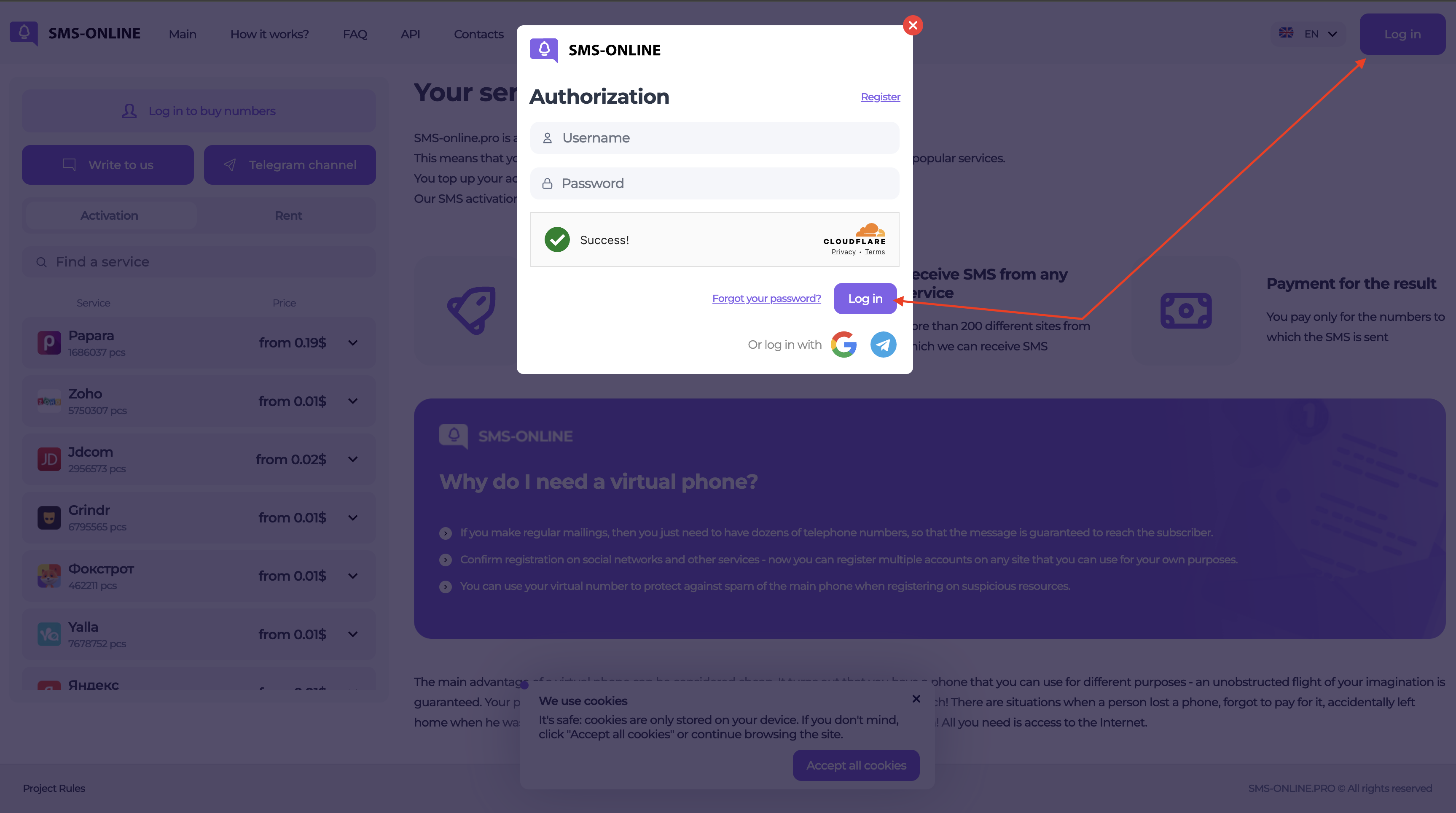
There is a button Sign in/Register in the upper right corner. Click and register. To register, you need a working email where we will send a confirmation letter.
Important! Do not use temporary email, your email is access to your account, if you lose access to mail, you will lose access to your account.
I have signed up, what’s next?
Next you need to top up the balance. Your balance will be In the upper right corner. You need to click on it and select a payment system suitable for you, after the payment, the amount will immediately go to your personal account.
Balance is topped up. What do I do next?
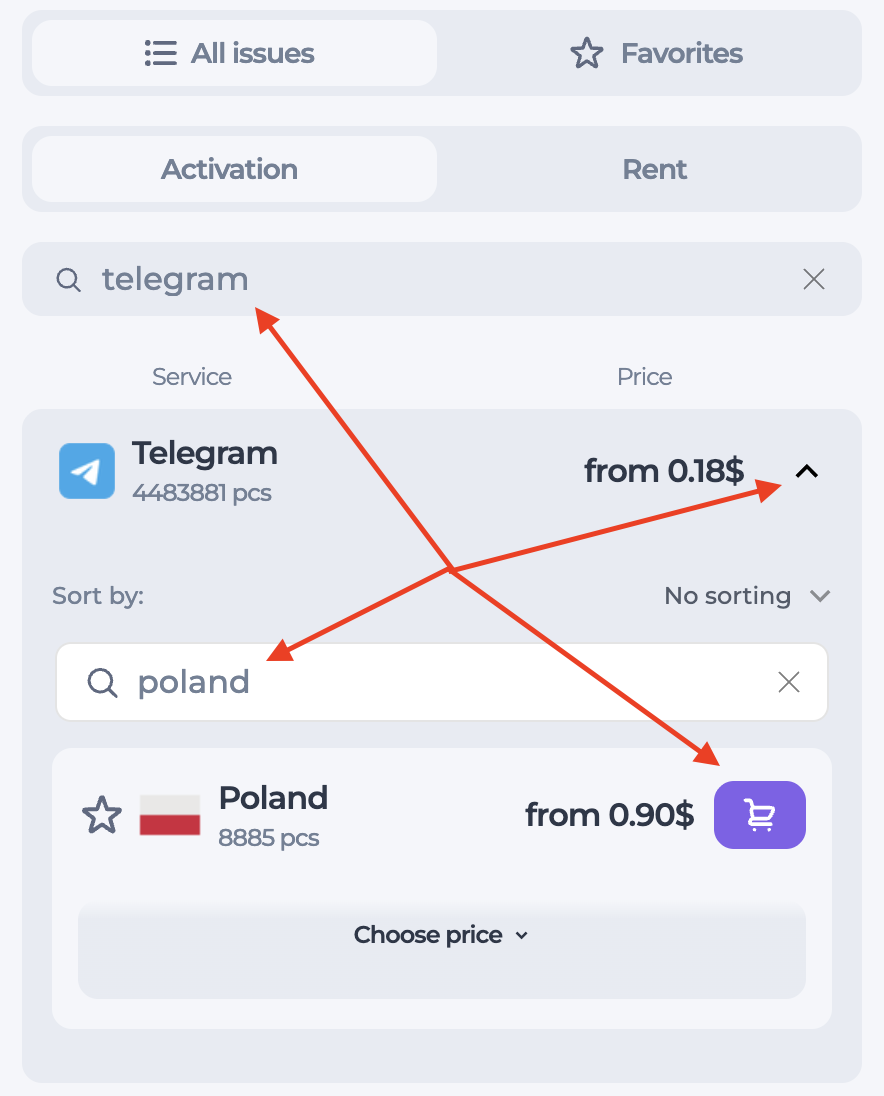
You are close to the goal. Now you need to get a virtual number which you will use to register your account. Select the service you need In the left menu and press the trolley icon. .
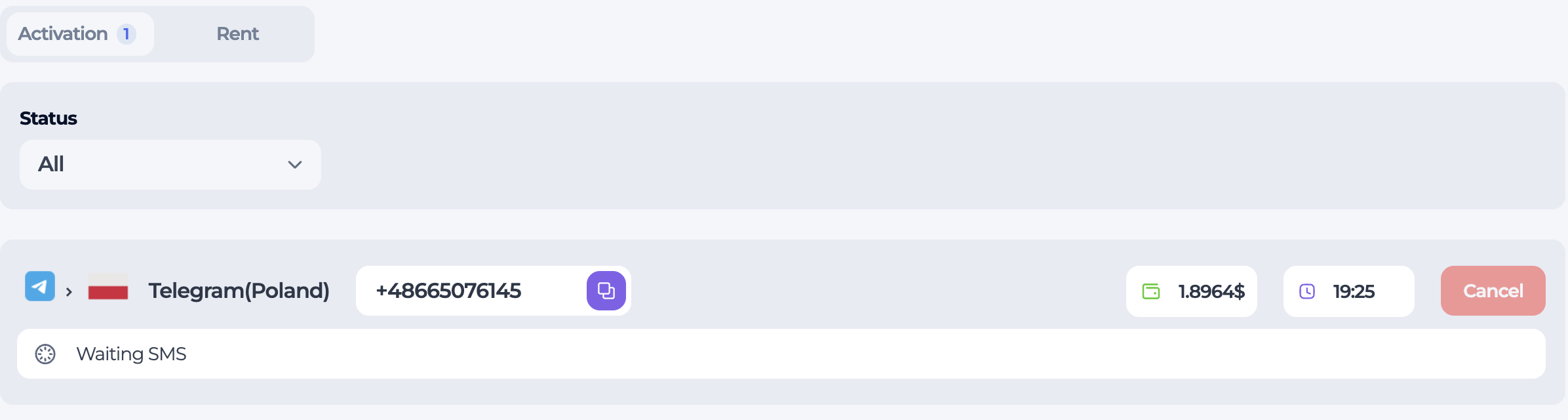
After the purchase the number will appear in the top panel of the site, in the “ACTIVATION” section, where you can copy the number and receive your first, long-awaited SMS.
SMS has been delivered. What to do now?
Now copy the code from sms to the same site from where you sent this sms from. This is the necessary confirmation code.
Ok, everything is alright, what’s next?
- If you want to receive another sms from the same service to the same number, then click the button for receiving sms repeatedly, each next sms to this number is free!
- If you just want to finish the work, then click the button.
Account was banned
Many of our clients use software that allows them to buy a huge amount of numbers in a short period of time. The software may not work correctly and then this set of numbers will not be registered and will not be available to other users.
To avoid such “downtime” of numbers, our website has a rule:
You must have at least 6% of successful activations for the service, the calculation comes from 100 purchased numbers. Otherwise, the system will block you automatically for 30 minutes for each subsequent failed activation
Statistics are reset to zero for the next day at 00:00 UTC+3
If you haven’t been using your account for a long time
Your account can be frozen (services purchase is not available in this case) if you don’t use it for a long period of time.
You must change your password through the password recovery form.
After that click on the link in the letter that was sent to the email of your personal account.
Change your password and continue to use the services on our site.
If any difficulties arise, describe them in detail to the technical support team.
I can’t sign up to the website
To complete registration on the site, you need to confirm your email address.
Click on the link in the email sent to you, and remember to check the “Spam” folder if necessary.
If the letter has not been received, then be sure to notify technical support about it so that they could help you.
I think my account was hacked
If there is a suspicion of account hacking, then do next:
- First, change the password of your account through the password recovery form in the authorization window.
- Then change the API key.
- Then go to the “History” tab on the main panel of the site and find all your activations. If during the analysis there were activations that you have not yet made other than the specified ones, then be sure to inform us about these activations or write the period of time when you did not make these activations. (This point is not obligatory if the user has already indicated which registrations he did not make)
- We recommend changing the email password which was used to register on our website.
Important!
Do not use the same authorization data on different resources. Your data may be compromised on a third-party resource.
Purchase history
All your activations are stored in the “History” tab, select the required time period and set up filters. You will definitely find the number you need.
This tab also contains the history of other services.